
When someone visits your website, their browser needs to find the server that hosts it. A domain name such as example.com is easy for people to remember, but establishing a network connection requires an IP address.
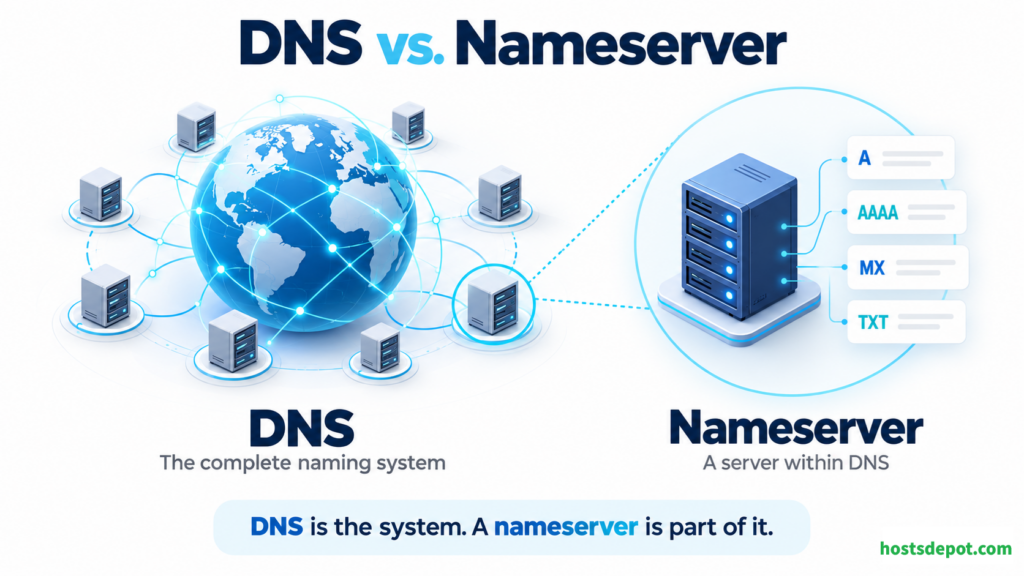
Nameservers help make that connection possible. They are part of the Domain Name System, or DNS, which allows applications to look up information associated with domain names.
For website owners, understanding nameservers is more than a networking exercise. It helps you connect a domain to your hosting account, manage email services, move between providers, and troubleshoot situations where a website is running but visitors cannot reach it.
What Is a Nameserver?
A nameserver is a server that answers DNS queries. Depending on its role, it can provide DNS records or direct a query toward another nameserver that has more specific information.
In domain registration and web hosting, the term “nameservers” usually refers to authoritative nameservers. These servers publish the official DNS records for a particular DNS zone—a managed portion of the domain namespace, often corresponding to a domain such as example.com.
Those records describe where services associated with the domain can be found. For example, one record might identify the IP address used by the website, while another identifies the servers that receive email.
A hosting or DNS provider might assign nameserver hostnames such as ns1.provider.example and ns2.provider.example. When you configure your domain to use those nameservers, you tell the DNS hierarchy where to find its authoritative DNS information.
A nameserver normally provides information about where a service is located. It does not store or deliver your website’s pages simply because it handles your DNS.
What Is the Difference Between DNS and a Nameserver?
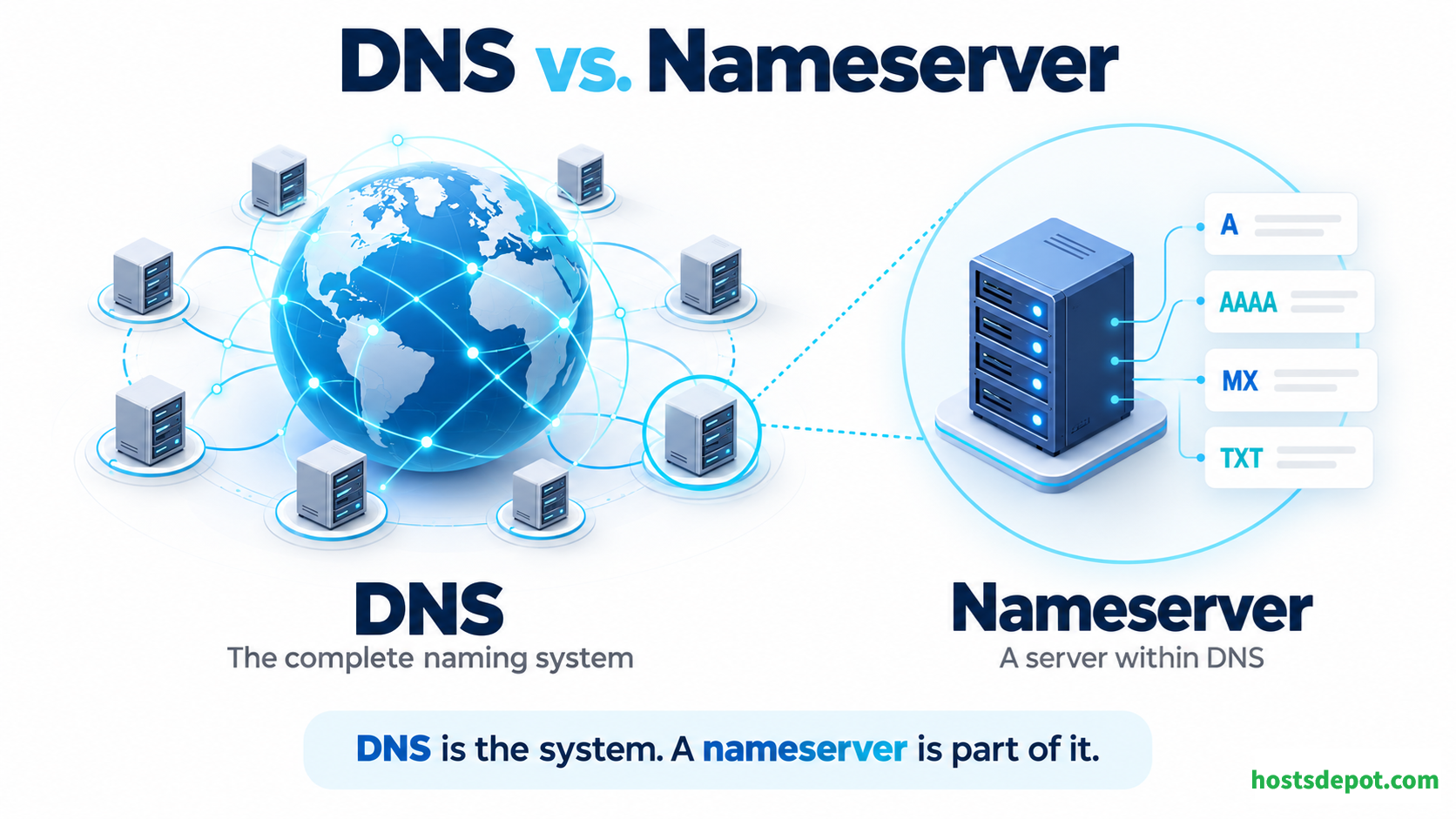
DNS is the overall naming system. It includes the hierarchy of domains, the records associated with those domains, the servers that answer queries, and the rules used to exchange information.
A nameserver is one component of that system.
An address directory offers a useful comparison. DNS is the complete directory system, DNS records are individual entries, and authoritative nameservers publish the entries for the areas they manage.
DNS also does more than translate domain names into IP addresses. It can identify mail servers, publish domain verification information, and provide information used by other internet services.
This is why a DNS configuration mistake can affect your email even when your website still loads normally.
How Do Nameservers Work?
Suppose you enter www.example.com into your browser. Before connecting to the website, the browser needs an appropriate IP address for that hostname.
The following example describes a lookup when the required information is not already cached.
1. Your Device Requests a DNS Lookup
Your browser or operating system sends a request to a recursive resolver. This is a DNS service that performs lookups on your behalf.
The resolver may be operated by your internet service provider, a public DNS provider, or your organization. Some browsers can use their own configured DNS service.
A resolver first checks its cache—a temporary store of information from earlier lookups. If it already has a usable answer, it can return it without repeating the full lookup.
2. The Resolver Queries a Root Nameserver
If the resolver needs to start at the top of the DNS hierarchy, it queries a root nameserver.
The root nameserver does not normally return the website’s IP address. Instead, it refers the resolver to the nameservers responsible for the appropriate top-level domain, or TLD, such as .com, .org, or .net.
The root DNS system has 13 named server identities, supported by many server instances distributed around the world. It is not limited to 13 physical machines.
3. The Resolver Queries a TLD Nameserver
For example.com, the resolver contacts a nameserver responsible for .com.
That server provides a referral identifying the authoritative nameservers for example.com. This arrangement is called delegation: a parent zone directs queries to the servers responsible for a child zone.
4. The Authoritative Nameserver Answers
The resolver then asks an authoritative nameserver for the requested record.
If www.example.com has an A record, the answer can contain an IPv4 address. An AAAA record supplies an IPv6 address. If the name is an alias defined by a CNAME record, the resolver may need to perform additional lookups to find the address associated with the target name.
5. Your Browser Connects to the Website
The resolver returns the result to your device. Your browser can then connect to the returned IP address and request the website.
For HTTPS, establishing that connection also involves setting up an encrypted session and checking the website’s certificate.
DNS lookup and website delivery are separate operations. DNS helps locate the service; the web server or content delivery network handles the website request.
In everyday browsing, cached information often allows the resolver to skip several of these steps.
What Records Do Authoritative Nameservers Publish?
Authoritative nameservers publish several types of DNS records. Each type serves a different purpose.
A records associate a hostname with an IPv4 address. A website might use an A record to point example.com to its web server.
AAAA records associate a hostname with an IPv6 address. IPv6 uses a larger address space than IPv4.
CNAME records make one hostname an alias of another hostname. For example, www.example.com might be an alias of a hostname supplied by a hosting platform.
MX records, short for Mail Exchange records, identify the servers that accept incoming email for a domain.
TXT records contain text used for purposes such as domain ownership verification and email authentication.
NS records, short for Name Server records, identify the authoritative nameservers for a zone. They also appear in parent zones to establish delegation.
SOA records, short for Start of Authority records, contain administrative information about a zone, including a serial number and timing information used in DNS operations.
These records allow a single domain to use different providers for its website, email, and other services.
Why Are Nameservers Important?
They Make Domain Names Usable
Nameservers allow applications to retrieve the information needed to find services by name. Visitors can use your domain without knowing the IP address behind it.
This also allows the underlying infrastructure to change while the public-facing domain remains the same.
They Help Keep Services Reachable
A functioning web server is not enough if users cannot resolve its hostname. Reliable authoritative DNS helps ensure that visitors and applications can find your services when they need fresh DNS answers.
DNS availability matters for websites, email, APIs, and many other services.
They Separate Your Domain from Your Hosting
Your domain registration, DNS hosting, and web hosting do not have to be supplied by the same company.
You can register a domain with one provider, use another provider’s authoritative nameservers, and host the website elsewhere. This separation gives you flexibility when changing services.
They Support Multiple Services Under One Domain
Your main website might use example.com, a store might use shop.example.com, and incoming email might be handled by a separate provider.
DNS records let each service use the appropriate destination without requiring a separate registered domain for every service.
Why Do Domains Use Multiple Nameservers?
Domains normally use multiple authoritative nameservers for redundancy. If one server becomes unavailable, resolvers can query another.
However, the terms “primary” and “secondary” are often misunderstood.
In a traditional DNS setup, the primary server is the source from which zone changes are distributed, while secondary servers obtain copies through a process called a zone transfer. Both can answer authoritative queries.
A secondary nameserver is therefore not necessarily an idle backup that waits for the primary to fail. Resolvers can query any of the authoritative servers listed for the domain.
Meaningful redundancy also requires more than different names. If ns1 and ns2 depend on the same machine or network connection, a single failure may affect both.
Nameservers, Domain Registration, and Web Hosting
These three services have different responsibilities.
A domain registrar manages your domain registration and provides the controls used to set its nameserver delegation.
A DNS hosting provider operates the authoritative nameservers that publish your DNS records.
A web hosting provider runs the infrastructure that serves your website’s files and applications.
One company may provide all three, but they remain separate functions.
For example, changing your website’s A record changes its published IPv4 destination. Changing your domain’s nameservers changes where DNS lookups go for authoritative information.
Neither action automatically copies your WordPress files, transfers your database, or moves your email messages.
Do You Need to Change Nameservers When Moving a Website?
Not always.
If you want to keep your current DNS provider, you can often leave the nameservers unchanged and update the website-related records to match your new hosting provider’s requirements.
Changing nameservers is appropriate when you also want to move authoritative DNS management to another provider.
This distinction can make a migration much simpler. Moving a website does not necessarily require moving its DNS service or its domain registration.
How to Change Nameservers Safely
Before changing nameservers, prepare the DNS configuration at the new provider.
Copy or recreate all necessary records, including records for your website, subdomains, email, domain verification, and other connected services. An automatic import can help, but it should not be assumed to capture everything.
Next, check that the new nameservers answer correctly for your domain. Once the new configuration is ready, sign in to your domain registrar and replace the existing nameserver entries with the exact hostnames supplied by the new DNS provider.
If your domain uses DNSSEC, which adds digital signatures to DNS data, coordinate the migration carefully. The parent zone’s DS record connects your domain to the DNSSEC chain of trust. An old DS record that does not match the new DNS setup can cause validating resolvers to reject responses.
Keep the old DNS service working during the transition. Some resolvers may continue using cached information that points to the previous nameservers.
Finally, verify both website and email operation. A website loading successfully does not prove that every DNS record was transferred correctly.
What Does DNS Propagation Actually Mean?
“DNS propagation” describes the period during which different users may receive different results after a DNS change.
DNS does not distribute each change by immediately pushing it to every DNS server worldwide. Instead, resolvers cache information and refresh it as needed.
A record’s Time to Live, or TTL, tells caches how long they may retain that record before it needs refreshing under normal operation.
Nameserver changes also involve delegation information and its caching. Lowering a website’s A-record TTL does not automatically shorten the lifetime of cached nameserver delegation.
As a result, there is no universal waiting period that applies to every DNS change. Some users see new information quickly, while others continue using cached answers.
A carefully prepared migration can remain available throughout this transition. Downtime is not an unavoidable part of changing nameservers.
What Are Custom or Private Nameservers?
In hosting terminology, custom or private nameservers usually mean branded nameserver hostnames, such as ns1.yourcompany.com and ns2.yourcompany.com.
Hosting businesses and resellers often use them to present a consistent brand.
These names may point to infrastructure operated by the hosting company or by an upstream provider. Having a branded hostname does not automatically mean that you own a dedicated DNS server.
It also does not automatically improve security, speed, or reliability. Those qualities depend on the infrastructure and how it is operated.
The term “private DNS” can also describe DNS used only inside an organization’s network. That is a different concept from publicly accessible nameservers carrying your company’s branding.
What Is Required to Set Them Up?
Custom nameservers need working authoritative DNS infrastructure, address records for their hostnames, and the appropriate domain delegation.
Depending on the arrangement, the registrar may also need nameserver host registration and glue records. Glue records provide nameserver IP addresses in the parent zone, helping avoid circular dependencies.
For example, resolving example.com through ns1.example.com creates a dependency: the resolver needs an address for a nameserver whose name is inside the domain it is trying to resolve. Glue helps the resolver reach that server.
Creating an A record named ns1 alone does not turn a machine into a functioning nameserver.
How Can You Check Your Domain’s Nameservers?
Your registrar’s control panel shows the nameservers configured for your domain. You can also query DNS directly.
On systems with the dig utility installed, run:
dig example.com NS
On Windows, you can use:
nslookup -type=NS example.com
Replace example.com with your domain.
These commands query for NS records through a resolver, so their results can reflect cached information. When diagnosing a recent change, checking the parent delegation and querying the authoritative servers directly can help distinguish a configuration problem from a cached answer.
Common Questions About Nameservers
Do nameservers affect website speed?
DNS response time can affect how quickly a browser begins connecting to a website, especially when no usable answer is cached. However, it does not determine how quickly WordPress generates a page or how fast images download after the connection is established.
What happens if all authoritative nameservers go offline?
Resolvers with cached answers may continue serving them for a time. Lookups that require fresh authoritative information can fail, affecting websites, email, and other services associated with the domain.
Can multiple domains use the same nameservers?
Yes. A nameserver can serve many domains, provided it is configured with the appropriate zones and records. This is normal for hosting and DNS providers.
Does changing nameservers transfer my domain?
No. Changing nameservers updates DNS delegation. Transferring a domain changes the registrar responsible for its registration.
Does DNSSEC encrypt DNS traffic?
No. DNSSEC helps validating resolvers verify the authenticity and integrity of signed DNS data. Encrypting DNS queries is a separate function provided by technologies such as DNS over HTTPS or DNS over TLS.
Is reverse DNS handled by nameservers too?
Yes. Reverse DNS uses PTR records to associate an IP address with a hostname. These records are usually managed by the organization responsible for the IP address allocation, often your hosting or network provider. Reverse DNS is one signal used in email checks; it does not establish a sender’s legitimacy by itself.
Conclusion
Nameservers provide the DNS information that allows browsers, mail systems, and other applications to find services associated with a domain.
For website owners, the most useful distinction is straightforward: your registrar manages the domain registration, your authoritative nameservers publish its DNS records, and your web hosting serves the website.
Understanding those responsibilities makes it easier to connect a domain, change hosting providers, preserve email service, and diagnose connection problems without changing the wrong part of your setup.