
cPanel lets you create email addresses at the domains hosted on your account.
-
- Log in to cPanel
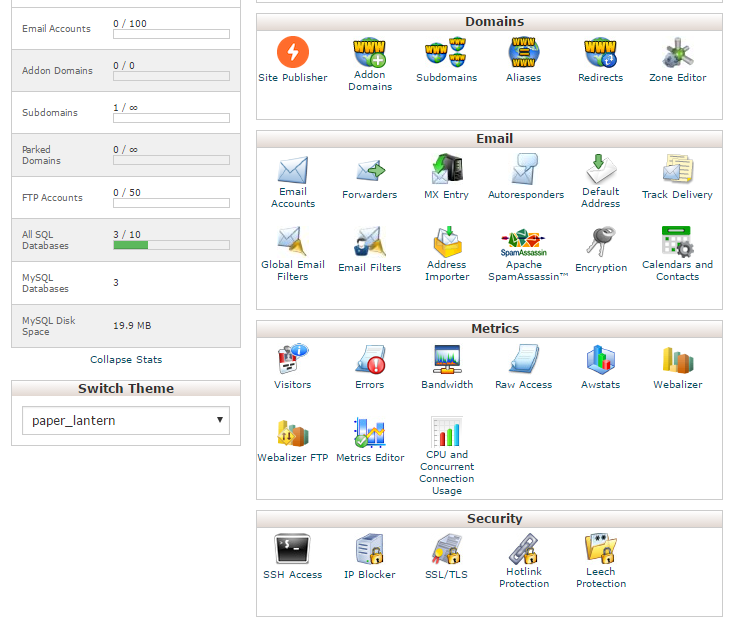
- In the Email section, click Email Accounts.
- Click Create Account.
- Complete the on-screen fields, and then click Create Account.
Click to Buy Shared Web Hositng from $2.78 per month
Click to WordPress Web Hositng from $7.47 per month
Click to WordPress Web Hositng from $7.47 per month
After you click Email account, will go to your following page:
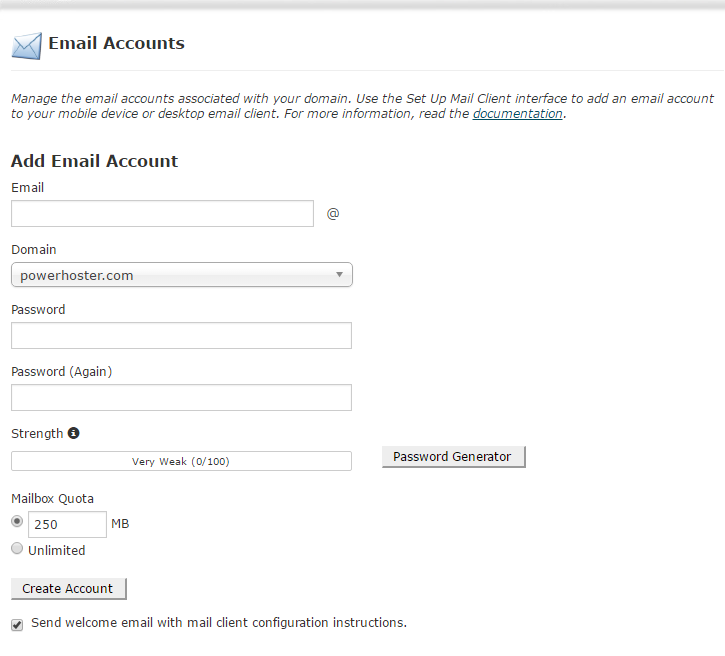
default Mailbox Quota is 250MB.
Normally please donot exceed your default mailbox quota.
If you need a professional email account, the best choices should be our mail web space services.
Or you can buy a gmail account professional account.
But normally email is good enough to use your Cpanel hosting.
Complete the on-screen fields, and then click Create Account.