
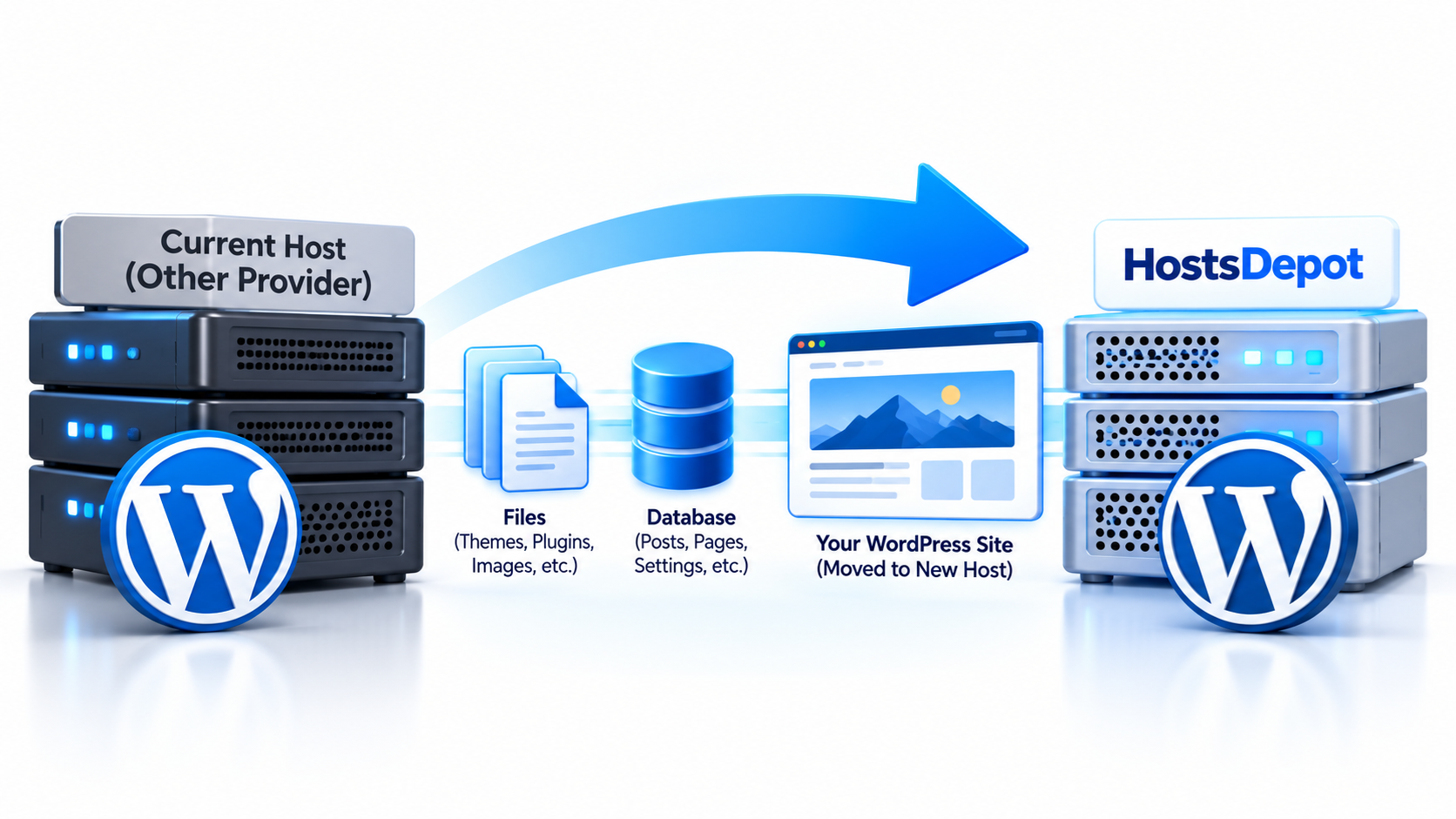
Yes. If your WordPress website is currently hosted with another provider, you can move it to HostsDepot.
Moving a WordPress website from one hosting company to another is commonly called a WordPress migration.
A typical WordPress migration involves moving several important parts of your website, including:
- WordPress files
- Themes
- Plugins
- Uploaded images and media
- The WordPress database
- Website configuration
- Domain and DNS settings
The goal is to move the complete website while keeping its content, design, settings, and functionality intact.
What Needs to Be Moved?
A WordPress website is made up of both files and database content.
The files include WordPress itself, your themes, plugins, uploaded images, and configuration files.
The database stores information such as:
- Posts
- Pages
- Comments
- Users
- Website settings
- Plugin settings
- Theme settings
- Menu information
A complete migration normally requires both the files and the database.
Simply copying the visible images and pages is not enough.
Will My Website Look the Same After the Move?
In most cases, yes.
If the migration is completed correctly, your WordPress site should keep the same:
- Design
- Pages
- Posts
- Images
- Themes
- Plugins
- Menus
- User accounts
- Website settings
Visitors should generally see the same website after the migration is complete.
However, some websites may require additional adjustments if they depend on custom server software, unusual PHP settings, special plugins, or third-party services.
Will My Domain Name Change?
No.
Moving your WordPress hosting does not require you to change your domain name.
Your domain can remain exactly the same.
After the website has been copied to the new hosting server, the DNS settings for the domain are updated so that visitors are directed to the new server instead of the old one.
What Is DNS?
DNS stands for Domain Name System.
DNS connects your domain name to the server where your website is hosted.
For example, when someone enters your domain name into a browser, DNS helps direct that request to the correct web server.
During a hosting migration, the website is first copied to the new server. Once everything is ready, the DNS records can be updated to point the domain to the new hosting environment.
Will My Website Be Offline During the Move?
A properly planned WordPress migration can often be completed with little or no noticeable downtime.
The usual approach is to keep the original website running while a copy is created on the new server.
The new copy can then be tested before the DNS is changed.
Once the new site is confirmed to be working correctly, the domain can be pointed to the new server.
Because DNS changes may take time to reach users in different locations, some visitors may temporarily reach the old server while others reach the new one.
For this reason, the old hosting account should normally remain active until the migration and DNS transition are fully complete.
What About Email?
Website hosting and email hosting are sometimes provided by the same company, but they are separate services.
If your domain email is currently hosted with your old provider, moving the website does not automatically mean that your email must move.
Before changing DNS records, it is important to review the domain’s existing email configuration.
This may include:
- MX records
- SPF records
- DKIM records
- DMARC records
Changing the wrong DNS records can interrupt email even if the website migration itself is successful.
What About SSL?
If your existing website uses HTTPS, the new server will also need an SSL/TLS certificate.
SSL protects the connection between the visitor’s browser and your website.
The certificate can normally be installed or issued on the new hosting environment before or immediately after the domain is pointed to the new server.
Once the migration is complete, visitors should continue to access the website securely through HTTPS.
Can WooCommerce Sites Be Moved?
Yes.
WooCommerce websites can also be migrated, but online stores require additional care.
A WooCommerce website may receive new:
- Orders
- Customer registrations
- Product updates
- Payments
- Inventory changes
during the migration process.
If the old and new copies of the website are both active for too long, recent database changes can become difficult to synchronize.
For busy online stores, migrations should be carefully planned to reduce the chance of losing recent transactions or customer information.
Can Large WordPress Sites Be Moved?
Yes, but larger websites may require more planning.
A large WordPress website may contain:
- Thousands of posts
- Large databases
- Many images
- Large media libraries
- Custom plugins
- Multiple themes
- WooCommerce data
- Membership information
These sites may take longer to copy, test, and verify than a small blog or business website.
The migration process may also need to account for storage space, PHP configuration, database size, and server resource requirements.
What Information Is Usually Needed for a Migration?
Depending on how your current website is hosted, migration may require access to some of the following:
- WordPress administrator account
- Hosting control panel
- SFTP or FTP account
- SSH access
- Database access
- Domain registrar or DNS account
You should never post passwords publicly or send sensitive login information through insecure communication channels.
Should I Cancel My Old Hosting Immediately?
No.
It is usually better to keep the old hosting account active until the new website has been fully tested and the DNS transition is complete.
Before cancelling the old service, confirm that:
- The website loads correctly from the new server
- All pages and images work
- WordPress administration works
- Forms work
- SSL works
- Email still works
- Plugins are functioning properly
- Database content is complete
- Backups are available
Only after the migration has been verified should the old hosting account be cancelled.
What About Backups?
Before migrating any website, create a complete backup.
The backup should include both:
- Website files
- WordPress database
A backup provides a recovery point if something unexpected happens during the migration.
It is also a good idea to keep a copy of the old website for a short period after the move is complete.
Can WordPress Migration Be Done Manually?
Yes.
An experienced administrator can migrate WordPress manually by copying the files, exporting and importing the database, adjusting configuration settings, testing the website, and updating DNS.
There are also WordPress migration plugins that can automate much of the process.
However, automated migration tools are not always suitable for very large or highly customized websites.
The right method depends on the website.
Moving WordPress Hosting Does Not Mean Rebuilding Your Website
One common misunderstanding is that changing hosting companies means rebuilding the website.
It usually does not.
Think of your WordPress website as a house and the hosting server as the land it sits on.
A migration moves the website to a new hosting environment while preserving the website itself.
Your pages, content, theme, images, and plugins can remain the same.
Conclusion
If your WordPress site is hosted somewhere else, it can normally be moved to HostsDepot without changing the website itself.
A complete migration involves copying the WordPress files and database, preparing the new hosting environment, testing the website, configuring SSL, and updating DNS so that your domain points to the new server.
For the smoothest transition, keep the old hosting account active until the migration has been tested and completed.
With proper planning, a WordPress website can usually be moved from one hosting provider to another with little or no noticeable disruption to visitors.